


Free Trial
For trying one short Seed Audio generation
$0
30 credits≈ 30 seconds of generated audio
- 30 one-time trial credits
- No credit card required
- Trial credits are issued once per account
- Shared generation queue
Seed Audio can generate more than spoken narration. This demo shows a movie-style action scene with gunfire, movement, ambience, and dramatic sound design combined into one ready-to-use audio clip.

Type @ to search voices or reference uploaded audio
Choose AI voice
Seed Audio generation is available after login. Sign in to use your credits and start a run.
Your generated AI Text to Speech audio will appear here.
Includes: AI Voice · BGM · SFX · Ambience
No AI voice yet
Your generated AI Text to Speech audio will appear here.
A single prompt can carry action, space, timing, and production detail. Play the latest Seed Audio result below to hear gunfire, movement, rain, ricochets, glass, and dialogue rendered as one finished sound scene.
Traditional text to speech reads a script. Seed Audio 1.0 works more like an AI Text to Speech Voice Generator: it can shape speaker intent, emotion, pacing, ambience, background music, and sound effects from one creative prompt.
Seed Audio 1.0 connects AI Text to Speech, AI voice generation, multi-role dialogue, emotion direction, ambience, background music, and sound effects so every feature maps to a real creative job.
Robotic narration makes videos, ads, demos, and tutorials feel unfinished.
Use the Seed Audio 1.0 AI Text to Speech Voice Generator to create expressive voiceovers from scripts, prompts, or short creative briefs.
Publish AI voiceover audio that sounds closer to a performed read and fits the creative context.
Short stories, ads, product demos, and explainer scenes often need more than one speaker.
Prompt the AI Voice Generator with multiple roles, distinct voices, speaker intent, and delivery instructions.
Create a small cast with Seed Audio 1.0 without recording every part manually.
Flat delivery weakens hooks, jokes, suspense, founder stories, tutorials, and calls to action.
Add tone, pace, mood, emphasis, and emotional direction directly inside the AI Text to Speech prompt.
Match the AI voice performance to the scene, the message, and the audience.
Voice alone can feel disconnected from the visual scene or product context.
Describe background spaces such as studios, streets, offices, stores, cafes, classrooms, nature scenes, or cinematic locations.
Give the listener instant context around the AI voice.
Ads, explainers, tutorials, and story scenes often need music beds that fit the emotional arc.
Request subtle, energetic, cinematic, upbeat, calm, or dramatic BGM as part of the AI Text to Speech scene.
Produce a more complete sound layer from one Seed Audio 1.0 prompt.
Small actions, transitions, alerts, and cinematic beats need audible cues to feel real.
Include SFX such as doors, notifications, footsteps, clicks, whooshes, product interactions, or cinematic hits in the AI Text to Speech prompt.
Make moments land without separate sound-design work.
Your boss reveal can move from warning ambience to impact, roar, and music sting.
Your isolated clips can make one scene feel stitched together.
Write one prompt that combines SFX, ambience, music, and character delivery.
Hear one cohesive game-audio moment instead of disconnected parts.
You can reuse a prompt template when another scene needs the same creative structure.
Your deep preset still sounds generic and emotionally flat.
Describe pace, timbre, emotion, dialogue, and ambience in one Seed Audio 1.0 prompt.
You move from a plain read to a designed horror performance.
Paste a short product script, choose the mood, and use Seed Audio 1.0 as a Voice Generator for narration, ambience, and sound layers for demos, explainers, shorts, and social clips.

Choose your AI Text to Speech scene
Clear, confident AI voiceovers that explain and sell.
Your Prompt
Describe your script, scene, and the AI voice you need.
Generated AI Voice
Studio-quality AI Text to Speech voiceover, ready for your video.
Sound Layers
Add, edit, and balance layers around the Voice Generator output.
Narrator Voice
100%Soft BGM
60%Light Ambience
35%
Choose your AI Text to Speech scene
Step-by-step AI Text to Speech narration that teaches and keeps viewers engaged.
Your Prompt
Describe your script, scene, and the AI voice you need.
Generated AI Voice
Studio-quality AI Text to Speech voiceover, ready for your video.
Sound Layers
Add, edit, and balance layers around the Voice Generator output.
Guide Voice
92%Room Tone
38%Click SFX
44%
Choose your AI Text to Speech scene
Natural AI Text to Speech narration that feels casual, relatable, and authentic.
Your Prompt
Describe your script, scene, and the AI voice you need.
Generated AI Voice
Studio-quality AI Text to Speech voiceover, ready for your video.
Sound Layers
Add, edit, and balance layers around the Voice Generator output.
Creator Voice
88%Upbeat BGM
72%Phone Ambience
48%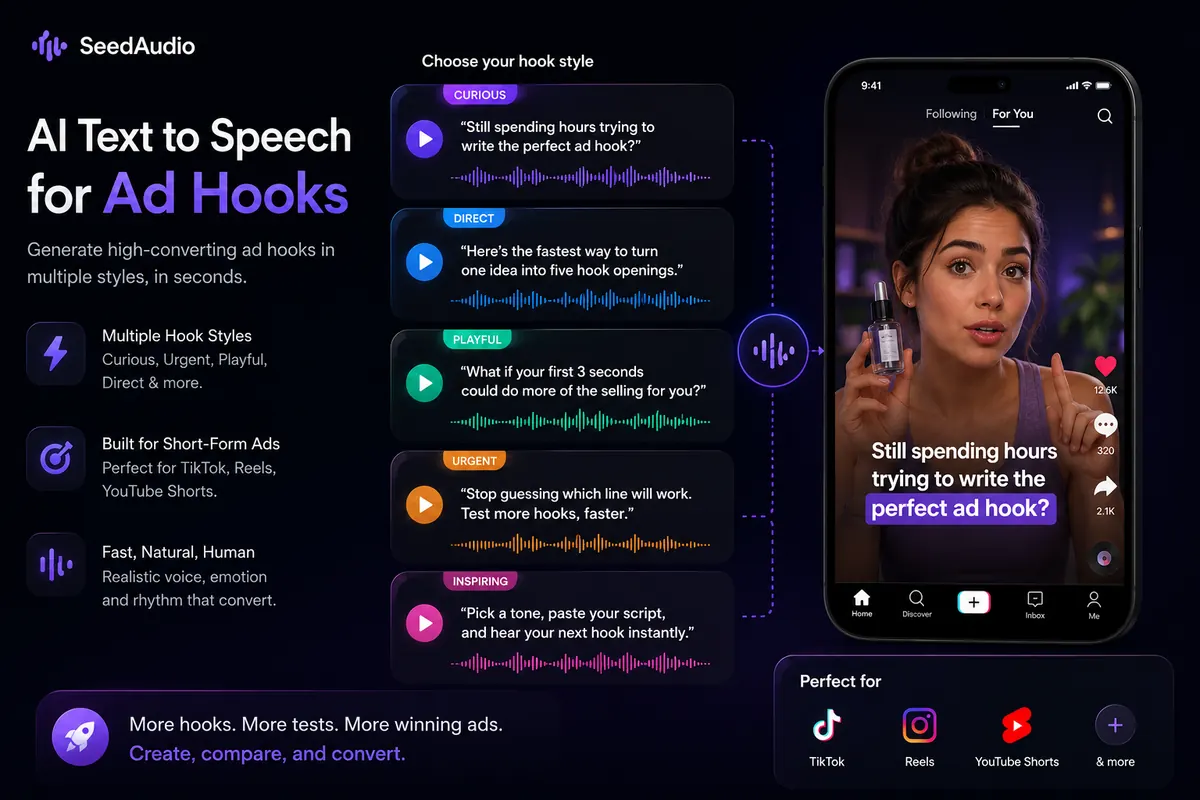
Choose your AI Text to Speech scene
Fast AI voiceover options for short ads, creator hooks, and product intros.
Your Prompt
Describe your script, scene, and the AI voice you need.
Generated AI Voice
Studio-quality AI Text to Speech voiceover, ready for your video.
Sound Layers
Add, edit, and balance layers around the Voice Generator output.
Hook Voice
94%Upbeat BGM
76%Notification SFX
52%Use Seed Audio 1.0 to generate AI Text to Speech narration, multi-speaker dialogue, immersive ambience, and studio-quality audio for story scenes.
2. The Hidden Passage
Fresh carvings reveal instructions for opening a passage.
Elara
Calm, observant, intelligent

Kael
Brave, cautious, tense
Tense, mysterious, adventurous
Ancient cave, dripping water, torch fire, stone rumble
AI Text to Speech Output
Generated Story Audio
Speaker A
Elara
Speaker B
Kael
Ambience
Ancient Cave
Narrated Scene
Expressive AI Text to Speech with clear scene direction
Studio Quality
Crisp, expressive, emotion-rich AI voice audio
Immersive Ambience
Layered environments bring story scenes to life
Export Ready
WAV, MP3, and project exports for generated voice scenes
Every tool runs on the same Seed Audio 1.0 model and 315-voice library.
Start with a one-time free trial, then buy credits that never expire or subscribe for high-volume usage.
For trying one short Seed Audio generation
For quick tests, small projects, and occasional usage
For creators, developers, and regular audio workflows
For high-volume generation and production workflows
Lowest per-minute price for high-volume usage.
Quick answers to the most common questions about the Seed Audio 1.0 AI Text to Speech Voice Generator.
View All FAQsSeed Audio 1.0 AI Text to Speech turns scripts, prompts, and creative briefs into generated audio with AI voice, ambience, background music, and sound effects for creative production.
Yes. Seed Audio 1.0 can be used as a Voice Generator for realistic AI voiceovers, multi-role dialogue, narration, product demos, story scenes, tutorials, ads, and social videos.
Describe the script, speaker, tone, emotion, pacing, and sound scene you want. The AI Text to Speech Voice Generator then creates AI voice audio and can include ambience, music, and sound effects in the same workflow.
Traditional text to speech usually reads a script with one voice. Seed Audio 1.0 AI Text to Speech can also follow creative direction for role, emotion, pacing, ambience, background music, and sound effects.
Yes. The AI Voice Generator is designed to create realistic AI voiceovers for product explainers, YouTube tutorials, TikTok UGC narration, demos, ads, and story scenes.
Yes. You can prompt multiple roles and delivery styles so the Voice Generator creates dialogue with different speakers, tones, and emotional direction.
Yes. Seed Audio 1.0 can create product demo voiceovers, social videos, ads, tutorials, and other commercial creative audio. In the same prompt, you can guide emotion, pacing, tone, voice style, ambience, background music, and sound effects.
The intended output is downloadable generated audio for videos, demos, ads, story scenes, tutorials, and other creative workflows.
The prompt input supports up to 2048 characters. If your prompt is longer than 2048 characters, shorten it before generating audio.
Seed Audio 1.0 AI Text to Speech is useful for creators, marketers, educators, founders, agencies, studios, and product builders that need AI voiceovers, dialogue, ambience, music, and sound effects without a full recording session.
Yes. AI Text to Speech can generate multi-speaker dialogue when the Voice Generator receives roles and delivery notes.
Yes. AI Text to Speech can help create draft or production-ready voiceovers without booking a studio session.
Use our AI Text to Speech Voice Generator to create voiceovers, dialogue, ambience, background music, and sound effects for videos, demos, ads, tutorials, and story scenes.
